Before you sing. Before you play.
Your voice.
What note?
See the pitch your ears are trying to find. A little more clarity for your everyday practice.
Over1.5 milliondownloads


01 — PITCH
A sound you hear.
A note you see.
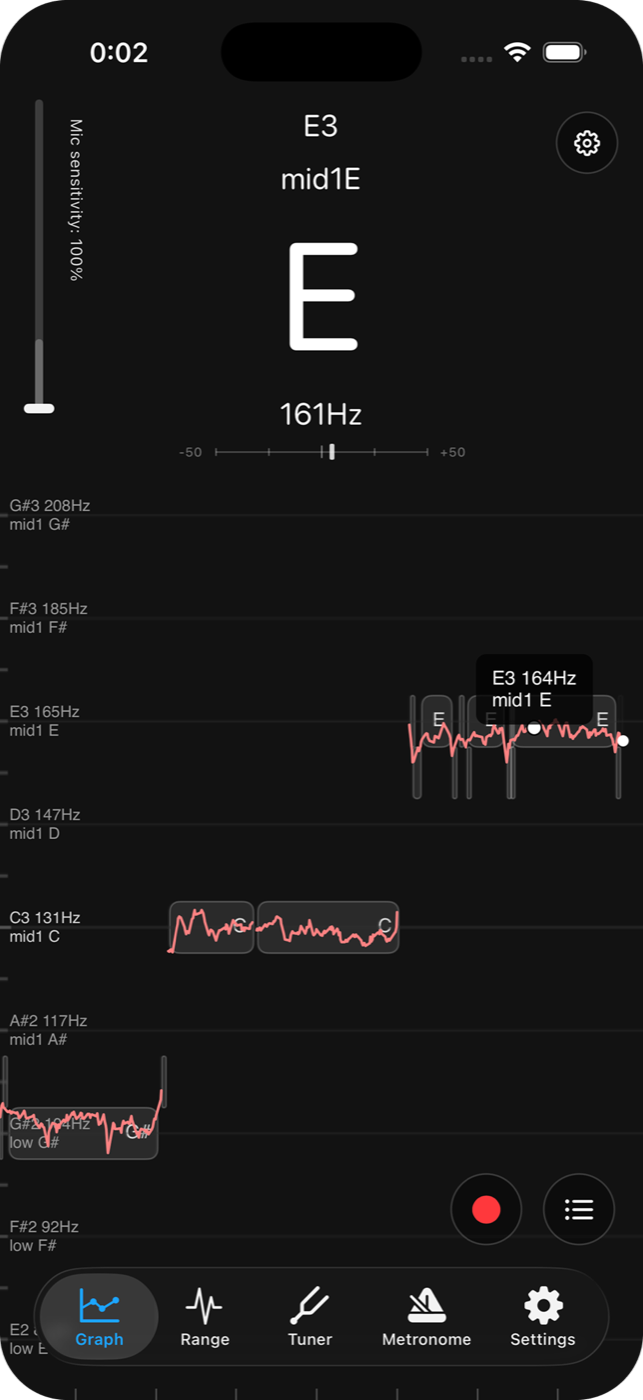
Sing into your microphone and watch the note and pitch graph respond in real time. See how steadily you hold a note, and what happens as you move to the next one.
For the moments when you want to be sure.
PITCH / REAL TIME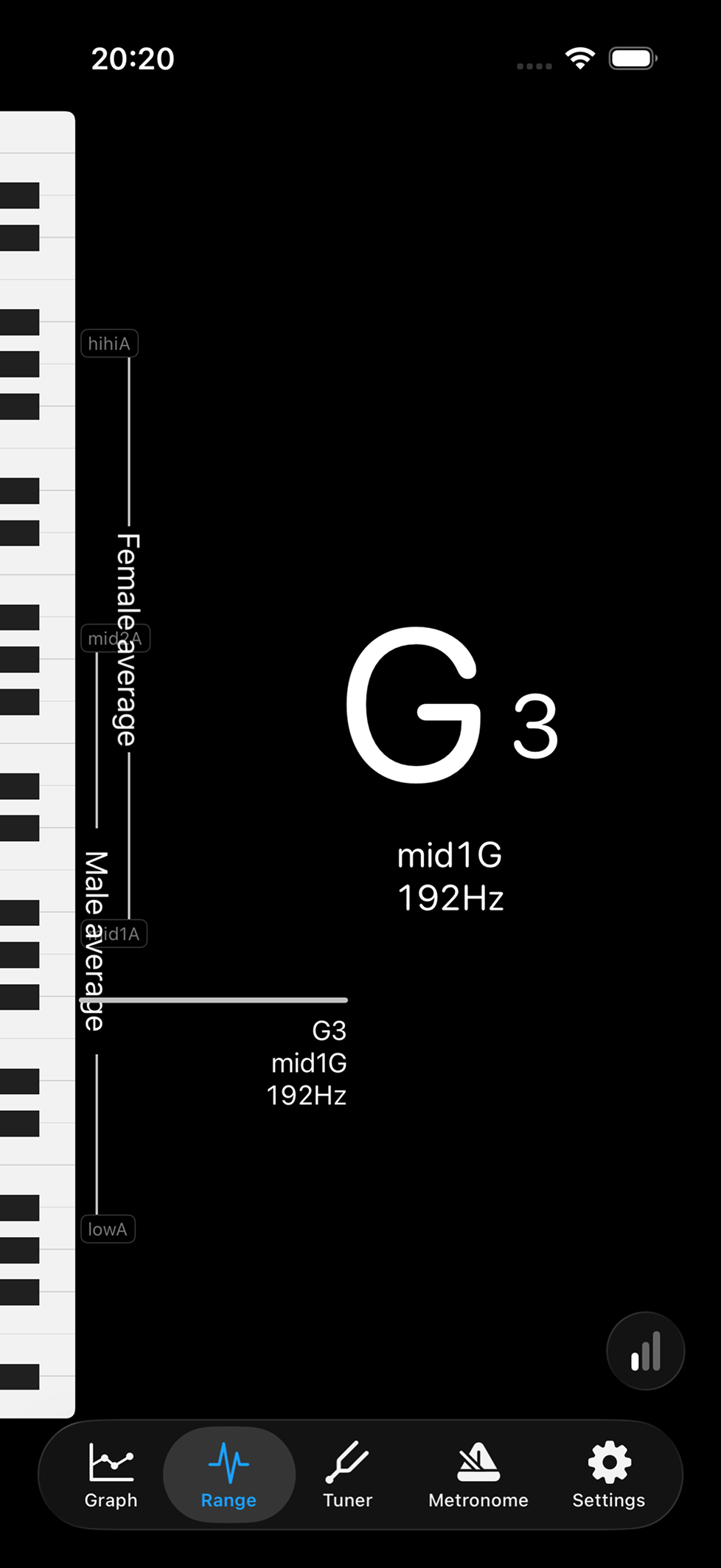
02 — VOCAL RANGE
Get to know
your own range.
From low notes to high notes, use the piano keyboard and note names to explore where your voice feels comfortable. A useful starting point for finding a song’s key.
- Read the note
- Solfege or CDEFGAB
- Know the octave
- low, mid & hi notation
03 — PRACTICE
Find your pitch.
Keep your time.
For singing, playing, and everything you practice. Your everyday music tools, together.
Take it one note at a time.
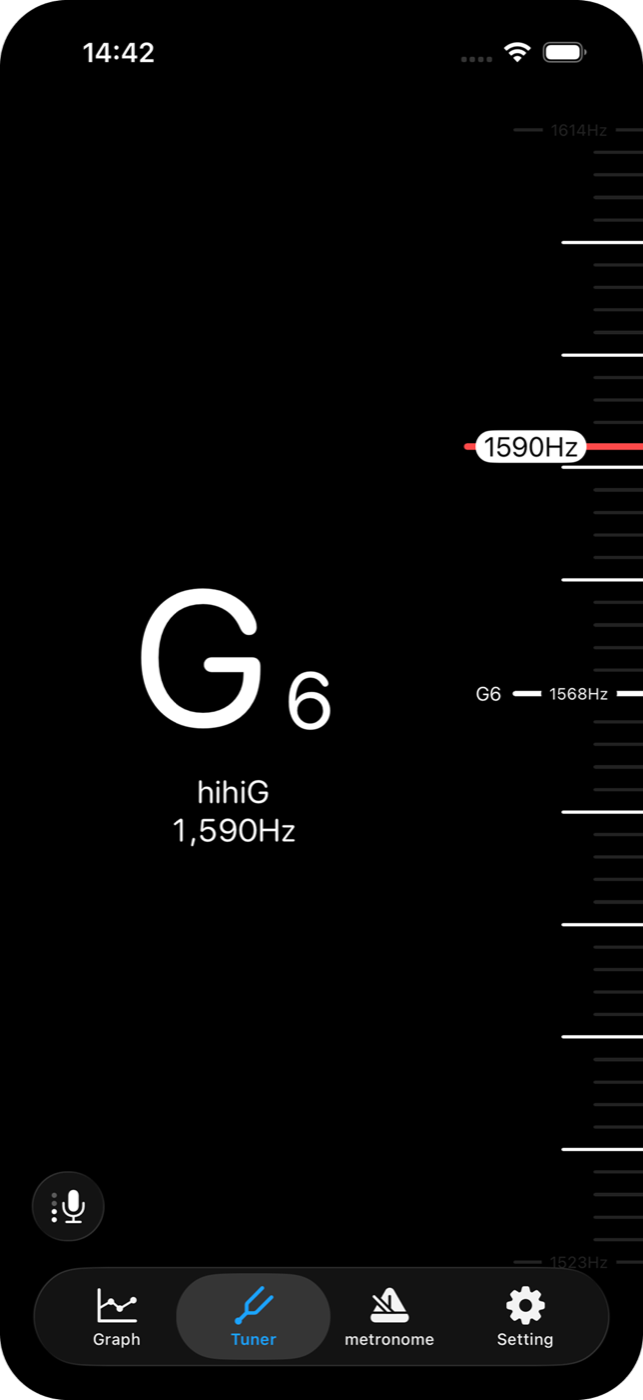
Check note names and frequencies as you tune your instrument. Adjust the reference pitch to suit your performance.
Adjustable A4 reference pitch
Hear the beat. See it, too.
Set a tempo and settle into the rhythm. The edges of the screen flash with each beat, giving you a visual guide as you practice.
Adjustable tempo and time signature
Read it your way.
Small settings that make it yours.
Flats & sharps
Choose the note spelling you know.
Note names
Switch between solfege and CDEFGAB.
Reference pitch
Set A4 to 440Hz, 442Hz, or your preference.
Q & A
Before your first note.
How do I check my pitch?
Open the app, allow microphone access, and sing or play a note. The app will display the note and its pitch movement. For a clearer reading, use a quiet space and play one note at a time.
Can I use it for instruments?
Yes. You can check instrumental pitch and tune instruments, as well as practice rhythm with the metronome.
Is it free?
The app is free to download and offers in-app purchases. Check the store listing and in-app information for feature access and advertising details.

Pitch Checker
Give your next note a look.
Start with the voice you have.